

Télécharger les logiciels Kaspersky pour Windows, Mac et Android
Sélectionnez votre solution de sécurité et téléchargez l’application officielle adaptée à votre appareil.
| Version du Logiciel | Système Requis | Format & Poids | Langue | Téléchargement |
|---|---|---|---|---|
|
Kaspersky Standard (PC)
|
Windows 11 / 10 / 8.1 / 7 SP1+ |
Installateur en ligne (.exe) · 3 Mo | Français | |
|
Kaspersky Standard (Mac)
|
macOS 11.0 ou plus récent |
Image disque (.dmg) · 70 Mo | Français / Multilingue | |
|
Kaspersky Standard (Android)
|
Android 8.0 ou plus récent |
Paquet d’installation (.apk) · 224 Mo | Français / Multilingue | |
|
Kaspersky Plus (PC)
|
Windows 11 / 10 / 8.1 / 7 SP1+ |
Installateur en ligne (.exe) · 3 Mo | Français | |
|
Kaspersky Plus (Mac)
|
macOS 11.0 ou plus récent |
Image disque (.dmg) · 70 Mo | Français / Multilingue | |
|
Kaspersky Plus (Android)
|
Android 8.0 ou plus récent |
Paquet d’installation (.apk) · 224 Mo | Français / Multilingue | |
|
Kaspersky Premium (PC)
|
Windows 11 / 10 / 8.1 / 7 SP1+ |
Installateur en ligne (.exe) · 3 Mo | Français | |
|
Kaspersky Premium (Mac)
|
macOS 11.0 ou plus récent |
Image disque (.dmg) · 70 Mo | Français / Multilingue | |
|
Kaspersky Premium (Android)
|
Android 8.0 ou plus récent |
Paquet d’installation (.apk) · 224 Mo | Français / Multilingue | |
|
Kaspersky VPN Secure Connection (PC)
|
Windows 11 / 10 / 8.1 / 7 SP1+ |
Installateur complet (.exe) · 3 Mo | Français | |
|
Kaspersky VPN Secure Connection (Mac)
|
macOS 11.0 ou plus récent |
Application Mac · Inclus dans suite | Français / Multilingue | |
|
Kaspersky VPN (Android)
|
Android 8.0 ou plus récent |
Paquet d’installation (.apk) · 138 Mo | Français / Multilingue | |
|
Kaspersky Password Manager (PC)
|
Windows 11 / 10 / 8.1 / 7 SP1+ |
Installateur (.exe) · 4 Mo | Français / Multilingue | |
|
Kaspersky Password Manager (Mac)
|
macOS 11.0 ou plus récent |
Application Mac Store · 60 Mo | Français / Multilingue | |
|
Kaspersky Password Manager (Android)
|
Android 8.0 ou plus récent |
Paquet d’installation (.apk) · 100 Mo | Français / Multilingue |
 Mac
Mac  Android
 1
1. Téléchargez
Choisissez votre solution (Standard, Plus, Premium, VPN ou Password Manager) et votre système.
2
2. Installez
Lancez le fichier d’installation ou ouvrez le paquet APK sur Android.
3
3. Activez
Saisissez votre clé à 20 caractères reçue par email ou connectez votre compte My Kaspersky.
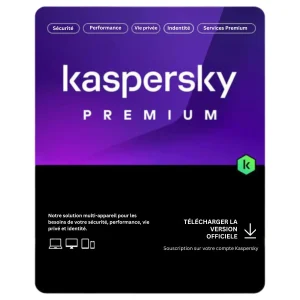
Protection Complète
Besoin d’une licence Kaspersky officielle ?
Kaspersky Premium inclut l’antivirus en temps réel, le VPN illimité et le gestionnaire de mots de passe. Clé d’activation officielle envoyée par email dès confirmation de votre commande.
Autres logiciels
Vous cherchez un autre installateur ?
Retrouvez tous les autres téléchargements officiels et originaux pour vos licences Presellia.

Télécharger Microsoft Office pour Windows et Mac
Accéder au Hub →

Télécharger Microsoft Windows 11 et Windows 10
Accéder au Hub →

Télécharger Microsoft 365 pour Windows
Accéder au Hub →

Télécharger Microsoft Project et Visio pour Windows
Accéder au Hub →

Télécharger Windows Server et SQL Server
Accéder au Hub →

Boîte à Outils et Utilitaires indispensables
Accéder au Hub →